Buy more, pay less
USB Cable 1m — Keep Your Vaporizer Charged
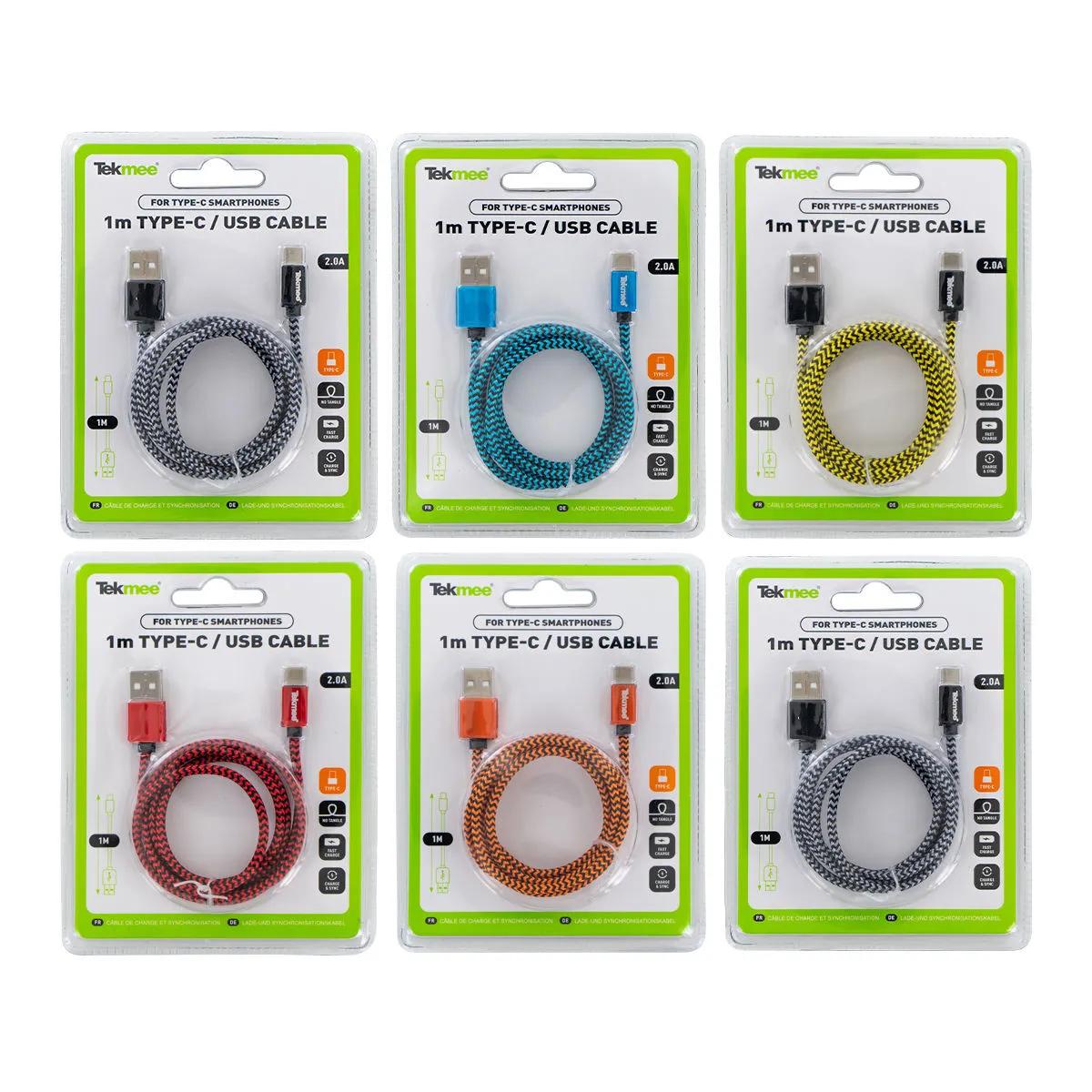
A USB cable 1m long is the simplest fix for a dead vaporizer, phone, or portable device. This 1-metre charging and data cable is available in Type-C or Micro USB and keeps your gear topped up wherever you are. Nothing kills a session faster than a dead battery and no cable in sight — buy a spare now and sort that out for a couple of quid.
Which USB Cable Do You Need?
Two variants, one simple choice.
| Variant | SKU | Fits |
|---|---|---|
| Type-C | HS1654 | Most vaporizers made after 2020, newer Android phones, tablets, Bluetooth speakers with USB-C ports |
| Micro USB | HS1653 | Older vaporizers, budget Bluetooth devices, many portable scales, older Android phones |
Not sure? Flip your device over and look at the port. USB-C is a small, symmetrical oval — it plugs in either way round. Micro USB is a flattened trapezoid shape, wider on one side. If you own a vaporizer from the last few years — the Mighty+, Crafty+, or most DynaVap induction heaters — you almost certainly need Type-C. Older units like the original Mighty or many pen-style vapes still use Micro USB.
Why You Need a Spare USB Cable 1m
We've had customers walk in mid-afternoon asking for a replacement because their vaporizer died halfway through a day out. The original cable is always "somewhere at home." Sound familiar?
Cables fray. They get bent at the connector, shoved into bags, yanked out at angles, and eventually the copper strands inside snap one by one until charging becomes intermittent or stops altogether. A 1-metre USB cable is cheap insurance. Keep one in your bag, one at your desk, one in the car. At this price point, ordering two — one Type-C, one Micro USB — covers basically every device you own.
The honest limitation: at 1 metre, these are standard-duty cables. They'll charge your vaporizer and transfer data without fuss, but they're not braided or reinforced. If you're rough on cables, expect to replace them every 6–12 months. That said, at this price, replacement is painless. Compared to braided cables from dedicated accessory brands, you lose some durability but gain on value — for a straightforward backup that does the job, this is what we'd grab off the shelf ourselves.
USB Cable 1m Specifications
This USB cable 1m variant measures exactly 100 cm from connector to connector and uses the USB 2.0 standard for both charging and data transfer.
| Spec | Value |
|---|---|
| Cable length | 1 metre (100 cm / 3.3 ft) |
| Connector A (host end) | Standard USB-A |
| Connector B (device end) | USB Type-C (HS1654) or Micro USB (HS1653) |
| Variants available | 2 |
| Primary use | Charging vaporizers, phones, portable accessories |
| Data transfer | Yes — USB 2.0 standard |
| Weight | Approximately 30 g |
Complete your setup: if your vaporizer battery is draining faster than it used to, a fresh USB cable 1m paired with a decent USB wall adapter makes a real difference. Already sorted for power? A padded vaporizer case keeps your device and cable together — no more rummaging through your bag. Browse our vaporizer accessories category for grinders, screens, and cleaning kits as well.
How to Use Your USB Cable 1m
Using a USB cable 1m long is straightforward — plug in, charge, disconnect cleanly. Follow these steps to get the most life out of your cable.
- Identify which connector your device needs. Check the charging port — USB-C is symmetrical and oval, Micro USB is trapezoidal and only fits one way.
- Plug the USB-A end (the flat, rectangular connector) into your power source: a wall adapter, laptop, power bank, or car charger.
- Connect the Type-C or Micro USB end to your device. USB-C clicks in either orientation. Micro USB has a flat side facing up — don't force it if it resists.
- Confirm charging has started. Most vaporizers show an LED indicator; phones display a charging icon on screen. If nothing happens, try a different USB port or adapter.
- Once fully charged, disconnect the cable by pulling the connector straight out — avoid bending it at an angle, which is the number one cause of cable failure over time.
- Store the cable loosely coiled, not tightly wrapped around your device. Tight wrapping stresses the internal wires near the connectors and shortens the cable's lifespan.